Surveyors and lead surveyors
Find the work, progress it, and leave a clear record.
SurveyFlow keeps the request, map, dates, comments, and field progress together. Work from the assigned request rather than creating side conversations.
Assigned work
The field workflow.
Find the assigned job
Surveyors can use My Jobs as a work queue. Surveyors and leads use My Map for location and scope. Search by SRV number, site, or description.
Read before acting
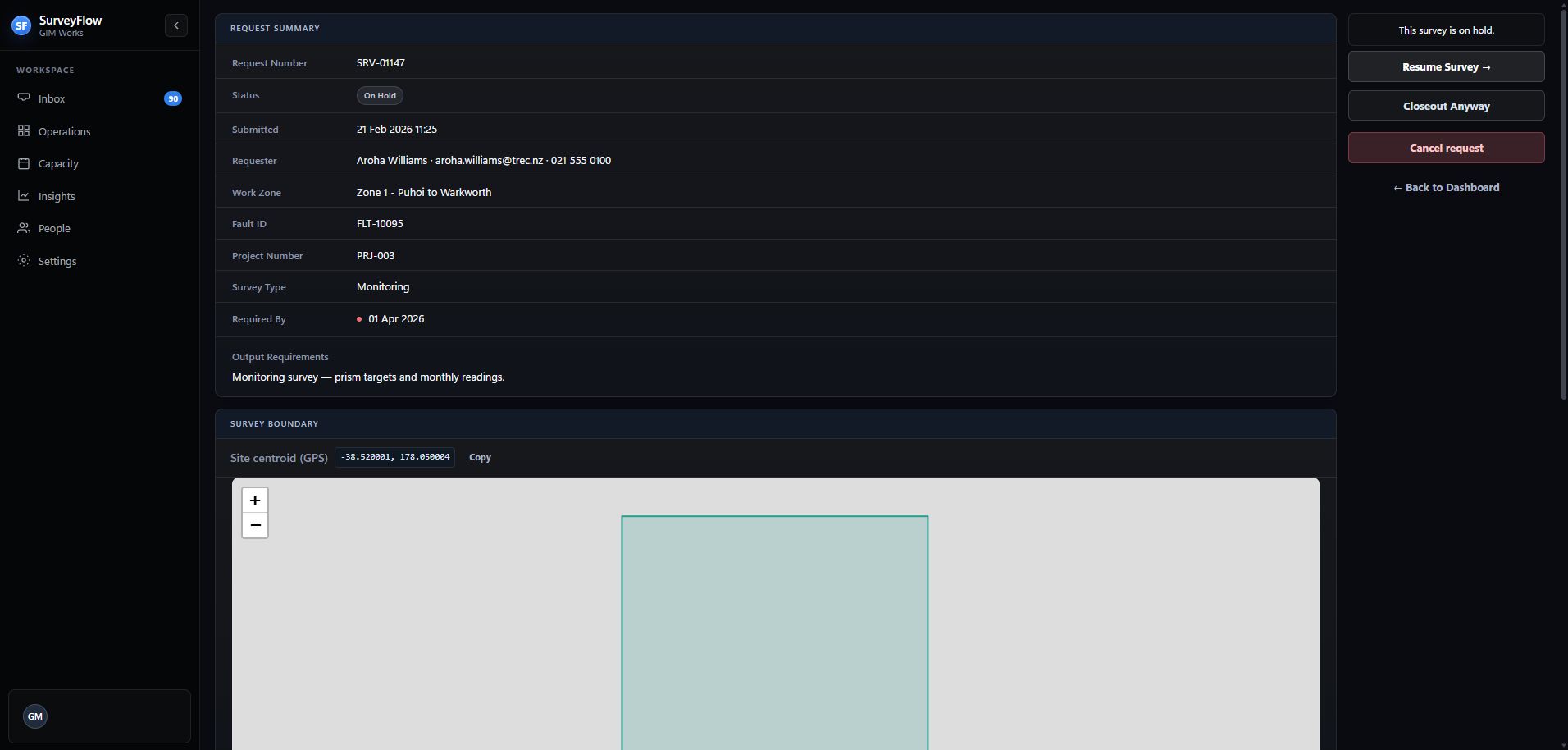
Open the request and check the boundary, required date, survey type, requester notes, attachments, and current activity.
Start and communicate
Start the survey when work begins. Add concise comments when the requester or manager needs to know something.
Use hold properly
Record why work is paused and when it should be reviewed. On resume, choose the schedule outcome rather than editing dates informally.
Close out once
Confirm the work is ready, add the external deliverable URL, and complete closeout. SurveyFlow stores the link—it does not host the deliverable.
Request detail
Check context before the next action.
The available actions change with status and permission. If an action is missing, confirm the assigned person and current status.